Pocket Knight
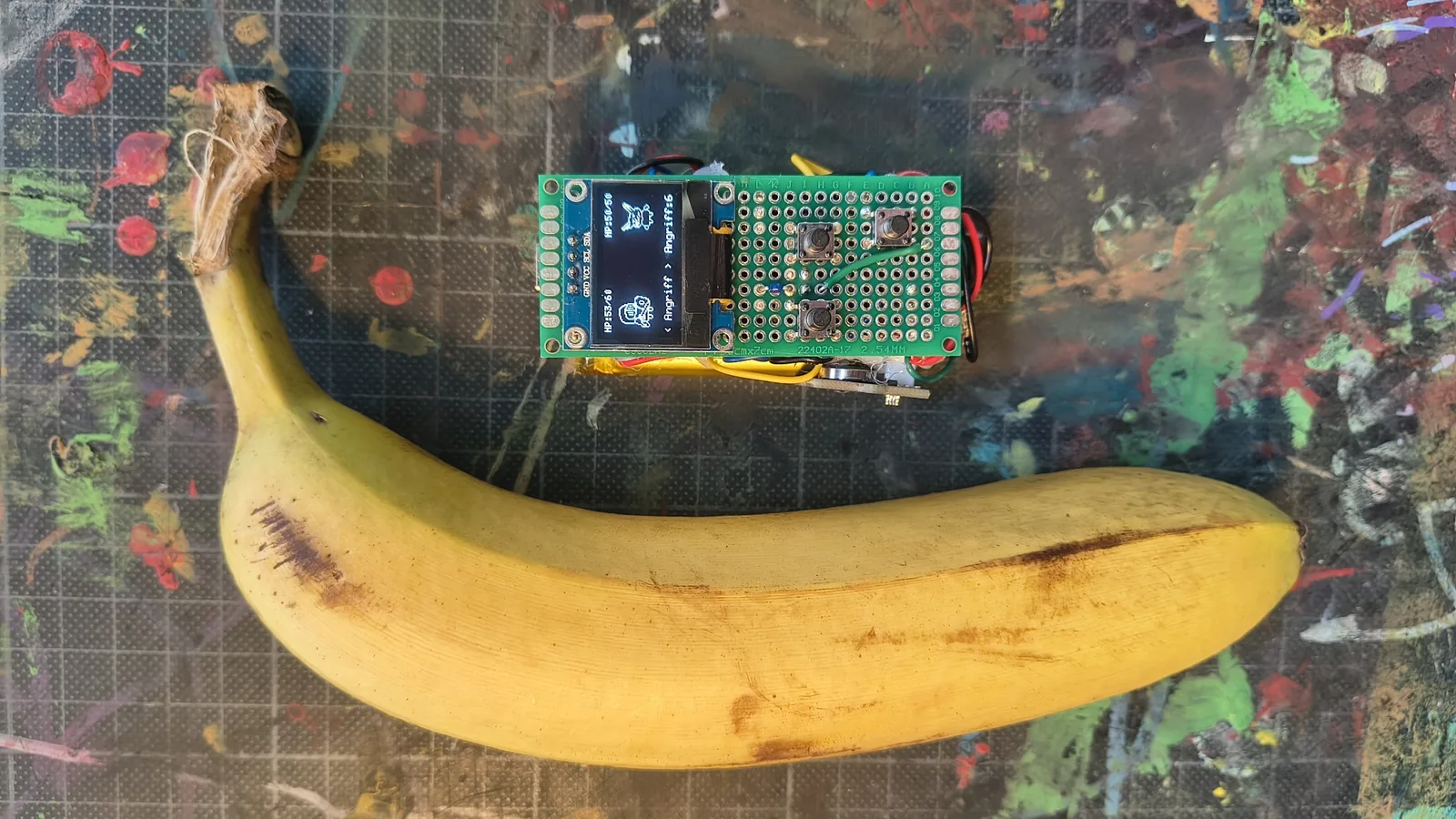
A small, pocket-sized device. It is a mini roguelike designed for on the go, where players make progress by walking. The steps collected throughout the day unlock events, which lead to different encounters and battles. With every battle, the player gains experience, improves their equipment, and grows stronger.
The events are stored so that players can go through them one by one in the evening at their own pace, while only needing to carry the device with them during the day. I’m writing a bit more in depth about the development process in this blog article.
- Type
- Electronic · Game
- Year
- 2026
- Details
- Status: playable prototype

01 — Fact sheet
- Role
- Solo project: concept, electronics, firmware, game design, pixel art and enclosure
- Time frame
- About 3 months in my free time, 2026
- Tools
- C++ (Arduino IDE)
- U8g2
- Aseprite
- Fusion 360
- PrusaSlicer
- Prusa MINI+ (FabLab Kiel)
- Claude (AI assistant)
- Hardware
- DFRobot FireBeetle 2 ESP32-E
- SSD1306 OLED display, 128 × 64 px
- Seeed Grove step counter (BMA456)
- Passive piezo buzzer and mini vibration motor
- 3 push buttons
- 1800 mAh Li-ion battery
- Perfboard, two-colour PLA enclosure
02 — Idea
I wanted to build a device that brings to mind the Digimon Digivice toys from my childhood: small enough for a trouser pocket, and with a game that moves forward while you walk. During the day the device stays in your pocket and counts steps; in the evening you play through the collected events at your own pace.
Three requirements shaped almost every decision: the device has to fit in a trouser pocket, it has to last for weeks without charging, and it has to count steps all day without anyone touching it. The last two contradict each other: counting all the time costs power, while a long runtime needs the processor to be asleep almost all the time.
03 — Approach
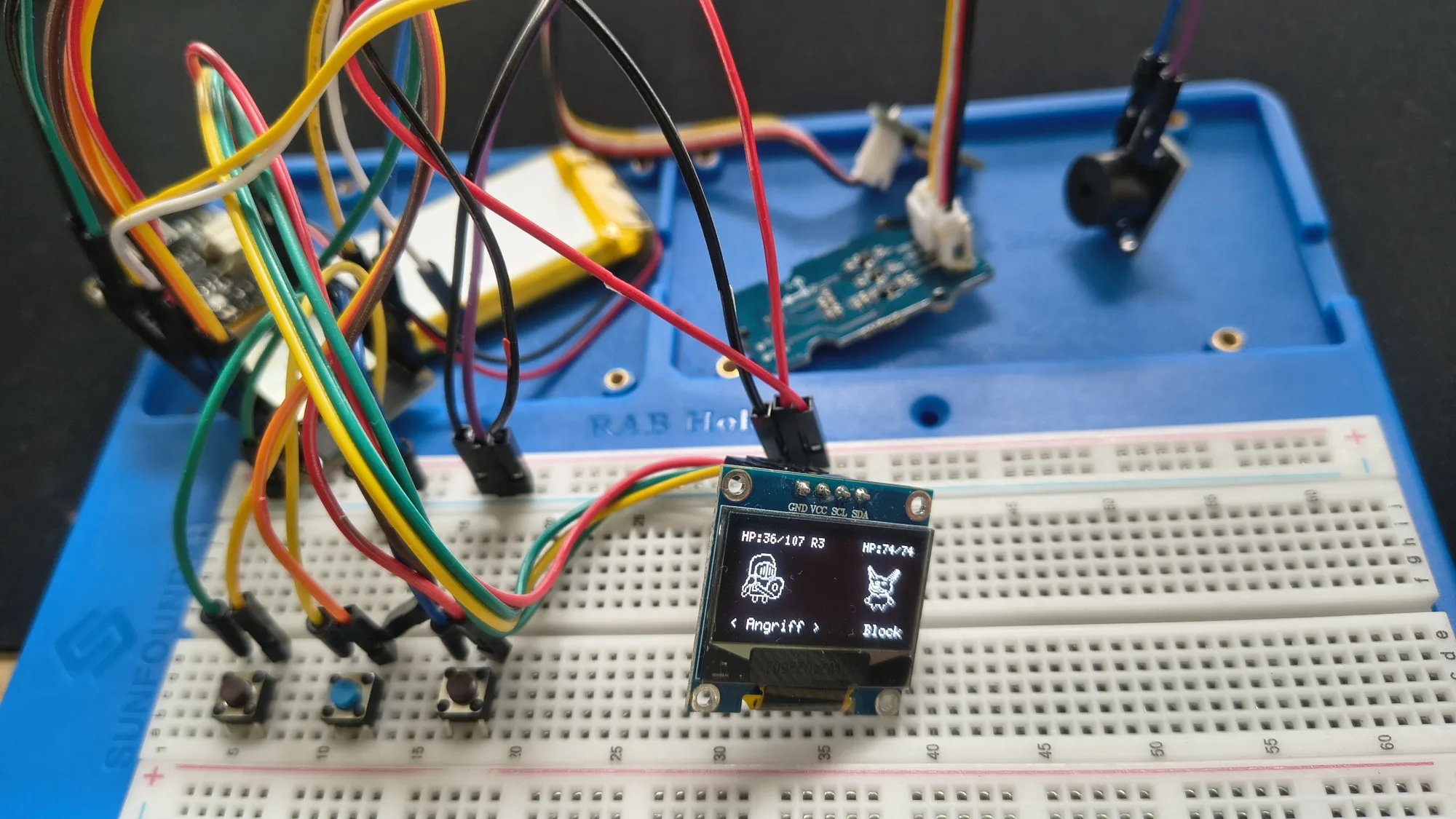
I picked a FireBeetle 2 ESP32-E because battery charging is already on the board, so I only had to connect a Li-ion cell. For the steps I use a BMA456, which counts steps by itself in hardware. Everything was first wired up on a breadboard, and I wrote most of the firmware against that setup.
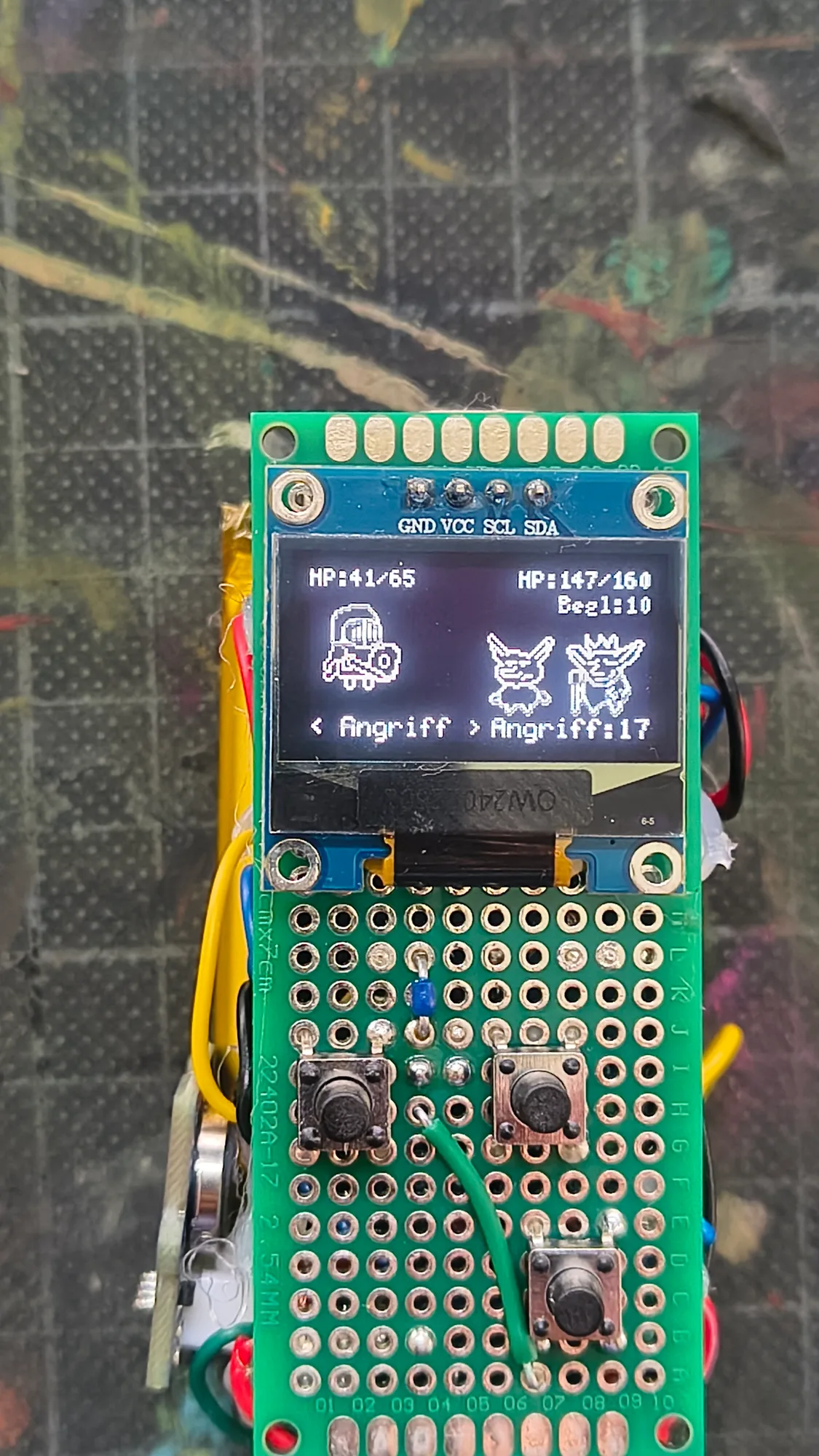
Once circuit and code were stable, I soldered all parts onto a piece of perfboard as compactly as possible, then refined the game loop, content and sprites until it felt like a complete game.
04 — Counting steps while asleep
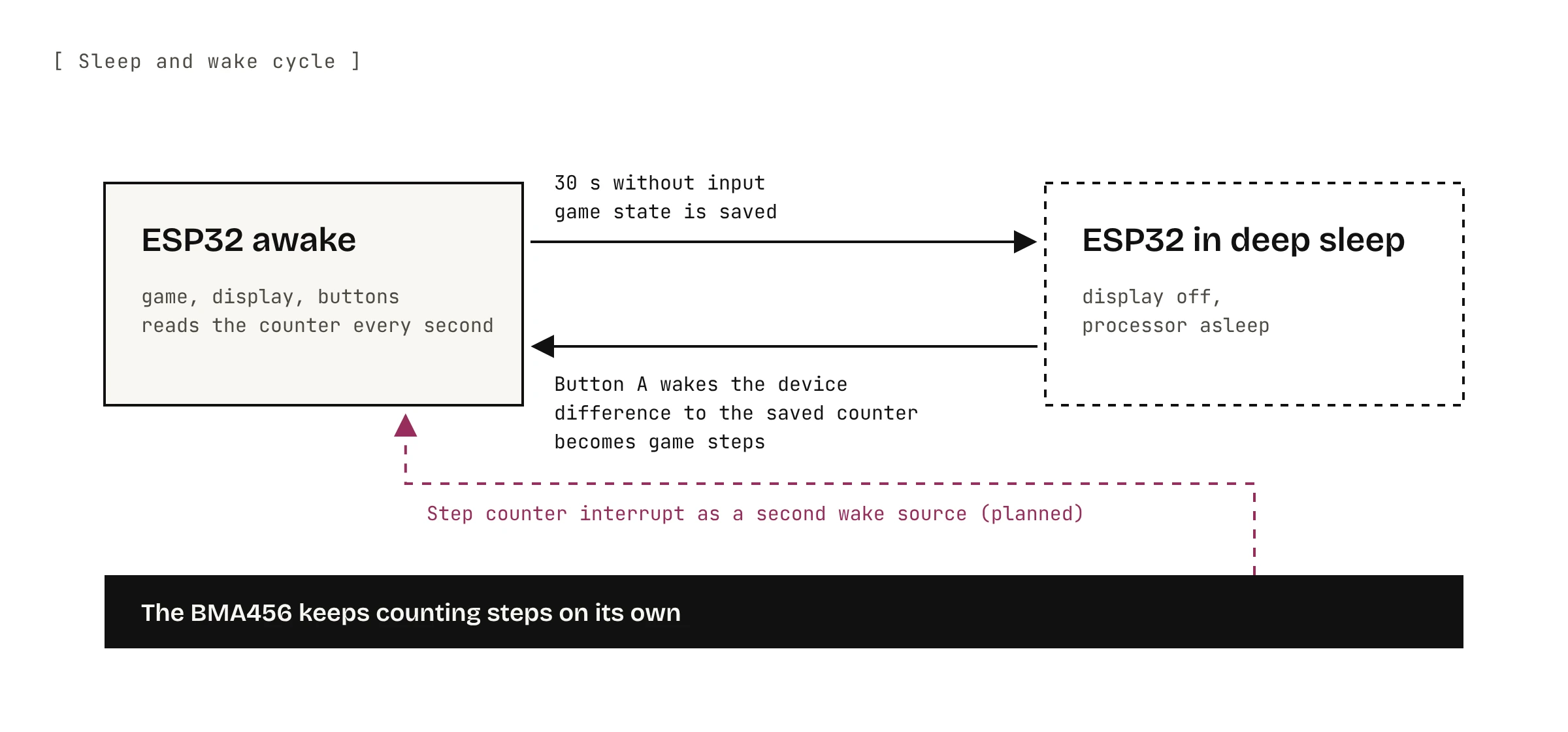
The solution to the contradiction above is to split the work. The BMA456 counts steps on its own the whole time, and the ESP32 goes into deep sleep after 30 seconds without input. Pressing button A wakes it up again.
What went wrong first: the step counter stopped counting and reset itself whenever it had no power. Its counter was then lower than the last value the game had saved.
How it works now:
- On start-up the firmware checks why the device is starting. After a cold start it sets up the sensor and stores 0 as the new baseline. After waking from deep sleep it deliberately does not set the sensor up again, because that would reset its counter.
- Only the difference to the saved counter value goes into the game. If the new value is lower, the firmware treats it as a reset and only moves the baseline instead of subtracting steps.
- If reading over I²C fails, the function returns the last known value, so a read error never shows up as a jump in steps.
Simplified excerpt from progress.ino:
void syncSteps() {
  uint32_t cur = readSensorSteps();   // BMA456 counter
  if (cur > lastSensorSteps) {
    addSteps(cur - lastSensorSteps);  // only the difference counts
    lastSensorSteps = cur;
  } else if (cur < lastSensorSteps) {
    lastSensorSteps = cur;            // sensor was reset
  }
}
05 — Pixel graphics
I drew all sprites in Aseprite as 1-bit pixel art. The hard part was getting them onto the display: every graphic had to be converted to the XBM format, and the animations are controlled directly in the code, which decides frame by frame what gets drawn. Drawing is done with the U8g2 library, and the bitmaps are stored in flash with PROGMEM instead of in the small working memory.
Looking back, a library or a small tool for sprite animations would have saved a lot of manual work.

06 — Firmware
The firmware is written in C++ in the Arduino IDE and split into modules: combat, events, progress and saving, rendering and audio.
- State machine: every screen is a state. The main loop calls the matching input and drawing function; combat has its own phases (choose, resolve, result, item choice).
- No double press: button A wakes the device and also confirms in the menu. So the same press doesn’t trigger an action right away, the firmware ignores all input after waking until every button has been released once.
- Always saved: progress is written to flash at every checkpoint and before sleeping, in two separate areas for the current run and the permanent progress. Every save carries a version number; if it doesn’t match the firmware, the save is discarded instead of being read wrongly.
- Data-driven content: enemies, items, unlocks and event weights are tables at the top of the code, so balancing doesn’t require touching the logic.
07 — Game design and balancing
On average every 300 steps (randomly between 220 and 380) a new event is queued. If the device is awake at that moment, it beeps and vibrates. Up to 10 events are stored, so you can play them in one go later. At every fork you choose one of two events, from fights and traders to traps, shrines and a wishing well.
Battles are turn-based: the enemy shows its next move in advance, and the player answers with attack, block, one of 5 skills or a consumable. After every 10 events a boss waits; defeating the fourth boss wins the run. In total there are 7 enemy types with their own behaviour and 22 items. When a run ends, meta points unlock permanent start bonuses.
Balancing: in the first version an event came every 250 steps, and up to 20 could pile up. That made the evening session tedious. With a few more steps per event and at most 10 stored events, the evening stays short, and a run of 40 events takes roughly a week.
08 — Enclosure
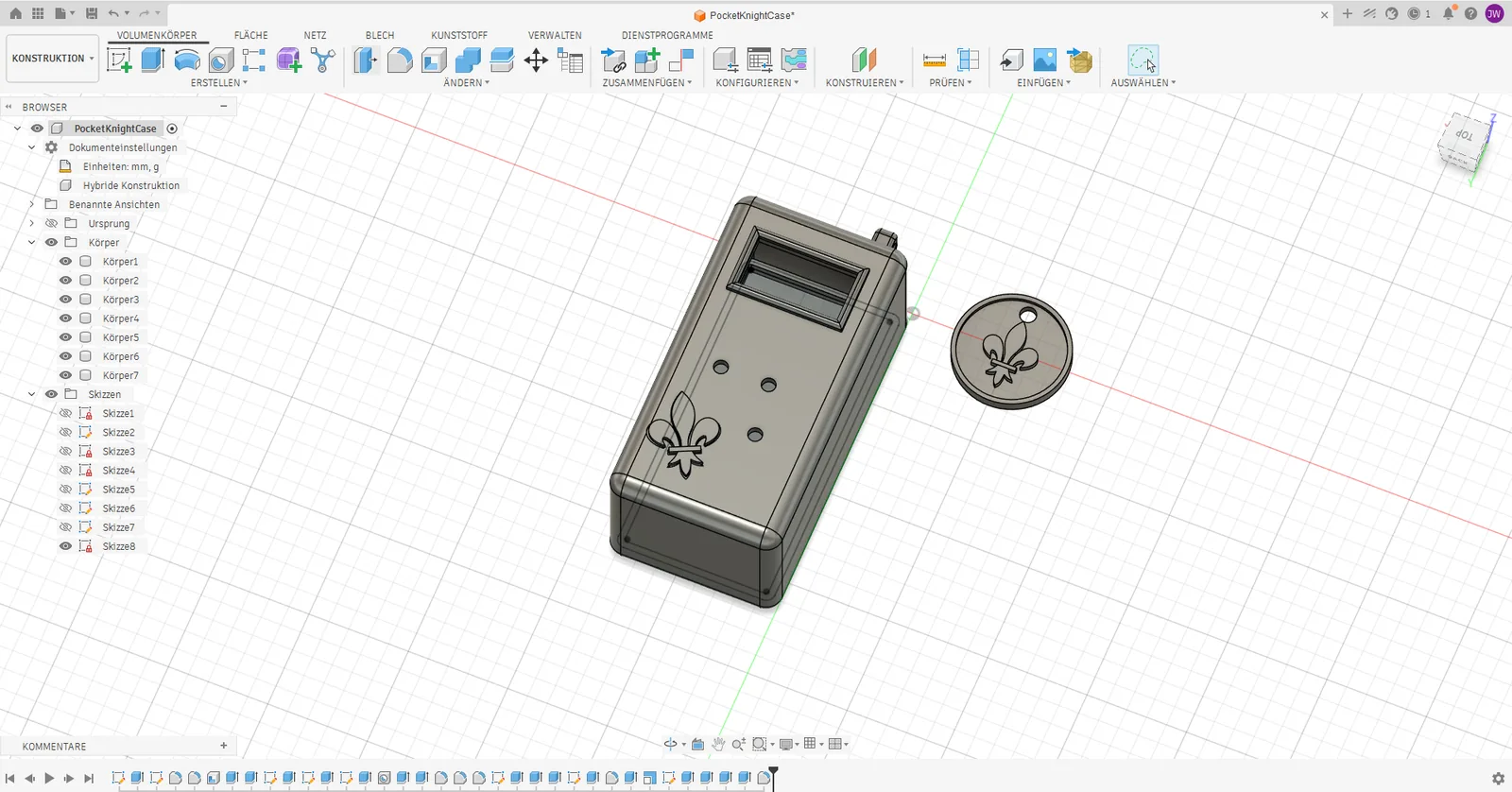
I designed the case in Fusion 360 and printed it in two colours on a Prusa MINI+ at the FabLab Kiel: grey for the body, blue for the display frame and the fleur-de-lis emblems. A small coin with the emblem doubles as a key-ring charm. After the first print there was one revision, in which I only adjusted the depth of the case slightly.
The print files and slicer settings are in the GitHub repository, so the device can be rebuilt.
09 — Result
Pocket Knight is a playable prototype: a complete run with 11 event types, 7 enemy types, 4 bosses, 22 items and permanent progress across runs, in about 3,700 lines of firmware. The device has been in daily use for weeks. The main menu still contains a debug entry for testing; since there is only this one device, the status stays at prototype.
I estimated the runtime from the device’s battery display: for one week each in normal use and in standby, I watched how far the percentage dropped and extrapolated from that. This gives roughly 3–4 months per charge. Firmware, case files and artwork are open source under the MIT license.
10 — What I learned and would change
- Power versus game feel: deep sleep secures the runtime but costs a feature. New events only announce themselves with a beep and vibration while the device is awake. In a pocket it is almost always asleep, so events pile up silently. The next step is to use the BMA456 interrupt as a second wake source.
- A smaller battery: 1800 mAh lasts for months but is the heaviest part. Next time I’d set the runtime I want first and choose the battery to match.
- A more honest battery display: the percentage is calculated linearly from the voltage, but Li-ion cells don’t discharge linearly, so the runtime estimate is rough too. A table with the real discharge curve would be more accurate.
- Designing content for the display: 128 px of width is not enough for every text. Some texts are cut off, and a few mechanics are not explained well enough in the game.
- Tools for graphics: for sprites and animations I would use a library or my own export script from the start.
Cut for now: co-op and versus multiplayer over ESP-NOW, an online leaderboard, smoother animations, more starting classes and an English version of the game texts.
11 — Media
The video only loads from YouTube after you click.
12 — Gallery (01)

Questions, ideas or feedback? I’d love to hear from you.
Drop a message