Audio Dingo Synth
A small, battery-powered synthesizer built with an Arduino Uno R4 Minima and the audio library Mozzi. Seven keys play notes or chords, two rotary encoders set the envelope, volume and presets, and the joystick adds vibrato, a wah filter, bit crush and glide. The built-in speaker is enough to play on its own; the jack connects it to other synths.
I wrote about the development process in a blog post; firmware and case files are in the public GitHub repository.
- Type
- Electronic
- Year
- 2026
- Details
- Prototype · Audio

01 — Fact sheet
- Role
- Solo project in the course Become a Maker (opencampus.sh, FabLab Kiel): concept, circuit, firmware, sound design and enclosure
- Time frame
- April to September 2026 (summer semester)
- Tools
- C++ (Arduino IDE)
- Mozzi 2.0
- Adafruit SSD1306 / GFX
- Wokwi
- Fusion 360
- Claude (AI assistant)
- Hardware
- Arduino Uno R4 Minima, audio via the on-board 12-bit DAC
- 7 note keys and 3 function buttons (MODE, WAVE, CHORD)
- 2 rotary encoders and an analog joystick
- SSD1306 OLED display, 128 × 32 px
- Small class-D amplifier, speaker and headphone/line jack
- 1800 mAh battery, 3D-printed enclosure
02 — Requirements
The goal was a small synthesizer that generates its own sounds and fits into my existing setup of other synths. It had to work on its own as well, so it runs on a battery and has a built-in speaker. It should also be quick to pick up and use without much effort.
- Playing: 7 note keys, because a scale has 7 notes, plus 3 function buttons.
- Shaping the sound: 2 rotary encoders and a joystick, so the sound can be changed while playing.
- Feedback: a small display showing the current settings and the value being edited.
- Output: a speaker for playing alone and a jack to connect it to other synths.
03 — From simulation to breadboard
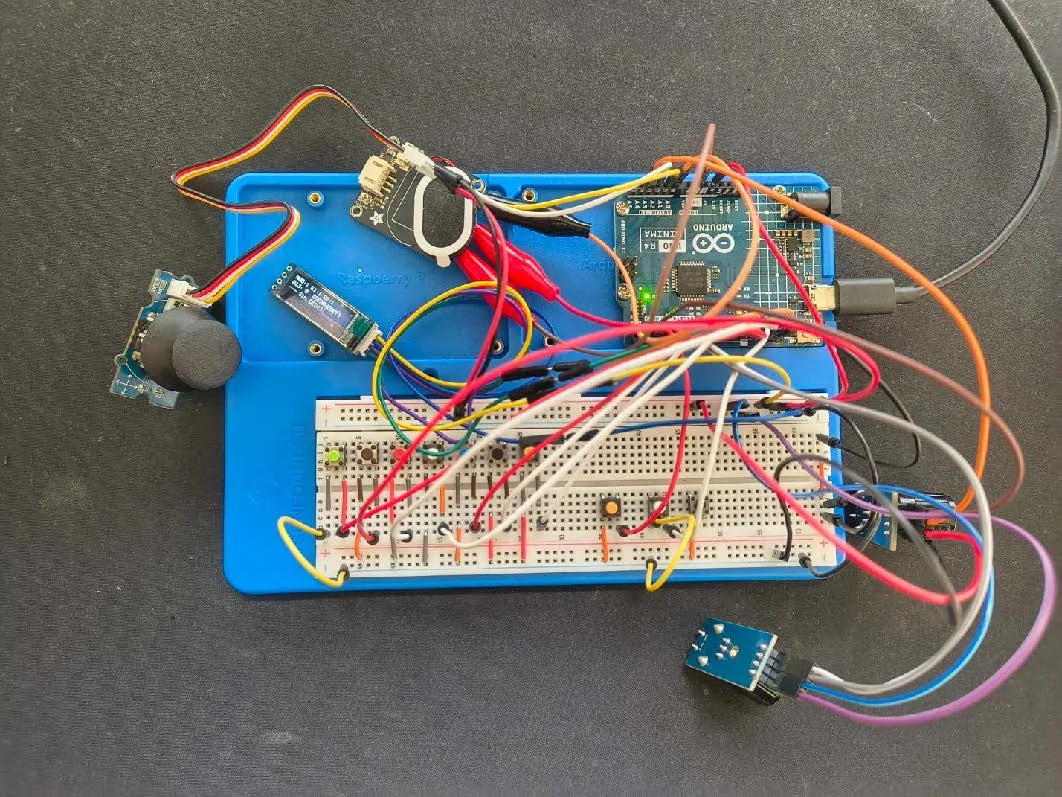
Before buying anything, I simulated and tested a first circuit on Wokwi. I wanted to get an overview first, because this project was my first contact with microcontrollers. Then came the research: which parts are suitable, which work reliably together, and where to get them.
Once everything had arrived, I built the first hardware prototype on a breadboard and wrote a first basic version of the code. All buttons connect between the pin and ground; the firmware switches on the internal pull-up resistors, so no extra resistors are needed.
04 — How the sound is made
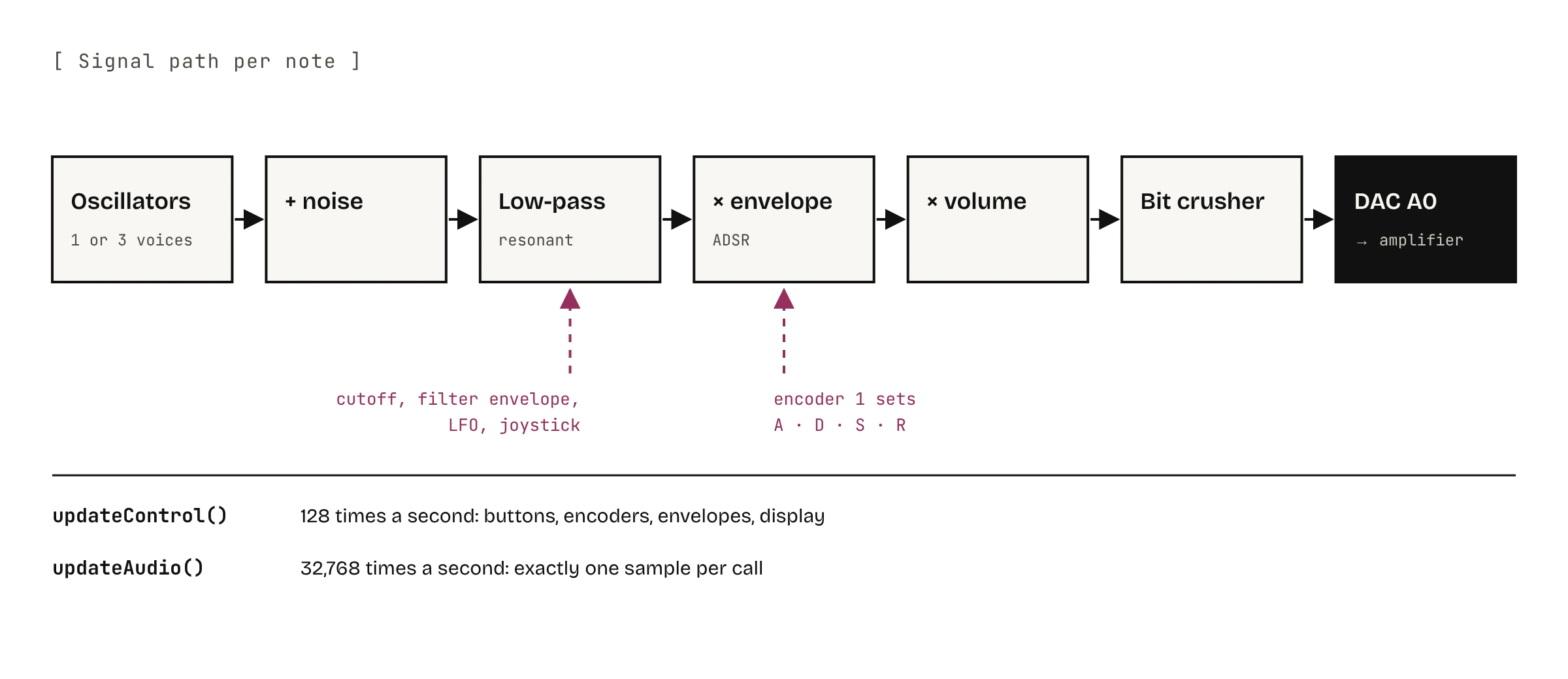
Every note runs through the same chain: oscillators, a bit of noise, a resonant low-pass filter, the volume envelope, the master volume and finally the bit crusher, before the sample goes to the DAC on pin A0 and from there to the amplifier.
- Oscillators: each voice has two. For saw, pulse and triangle the second one is slightly detuned and the output is the difference of both, so the waveform keeps moving as they drift in and out of phase. For FM the second oscillator modulates the phase of the first, which gives bell-like and metallic sounds.
- Two speeds: Mozzi calls
updateControl()128 times a second for everything slow – buttons, encoders, envelopes, the display.updateAudio()runs 32,768 times a second and computes exactly one sample per call, so only fast integer maths belongs there. - Presets as data: waveform, filter, envelopes, LFO and bit crush of the 5 presets are fields of a struct in
presets.h. A new sound is a new table row, not new code.
05 — Challenges
- Clicks from the display: sending a frame to the OLED over I²C takes a few milliseconds. During that time the audio buffer isn’t refilled, which is audible as clicks on held notes. The firmware therefore combines all displayed values into one checksum and only redraws when it changes.
- Fixed audio pin: on the Uno R4, Mozzi always outputs sound through the internal DAC on A0. The pin layout had to be planned around it.
- Shared pins: on the R4 Minima, A4 and A5 are the same pins as SDA and SCL of the display. In this build the WAVE and CHORD buttons share these lines with the display. In a second version I would move both buttons to free pins.
06 — Enclosure in two iterations
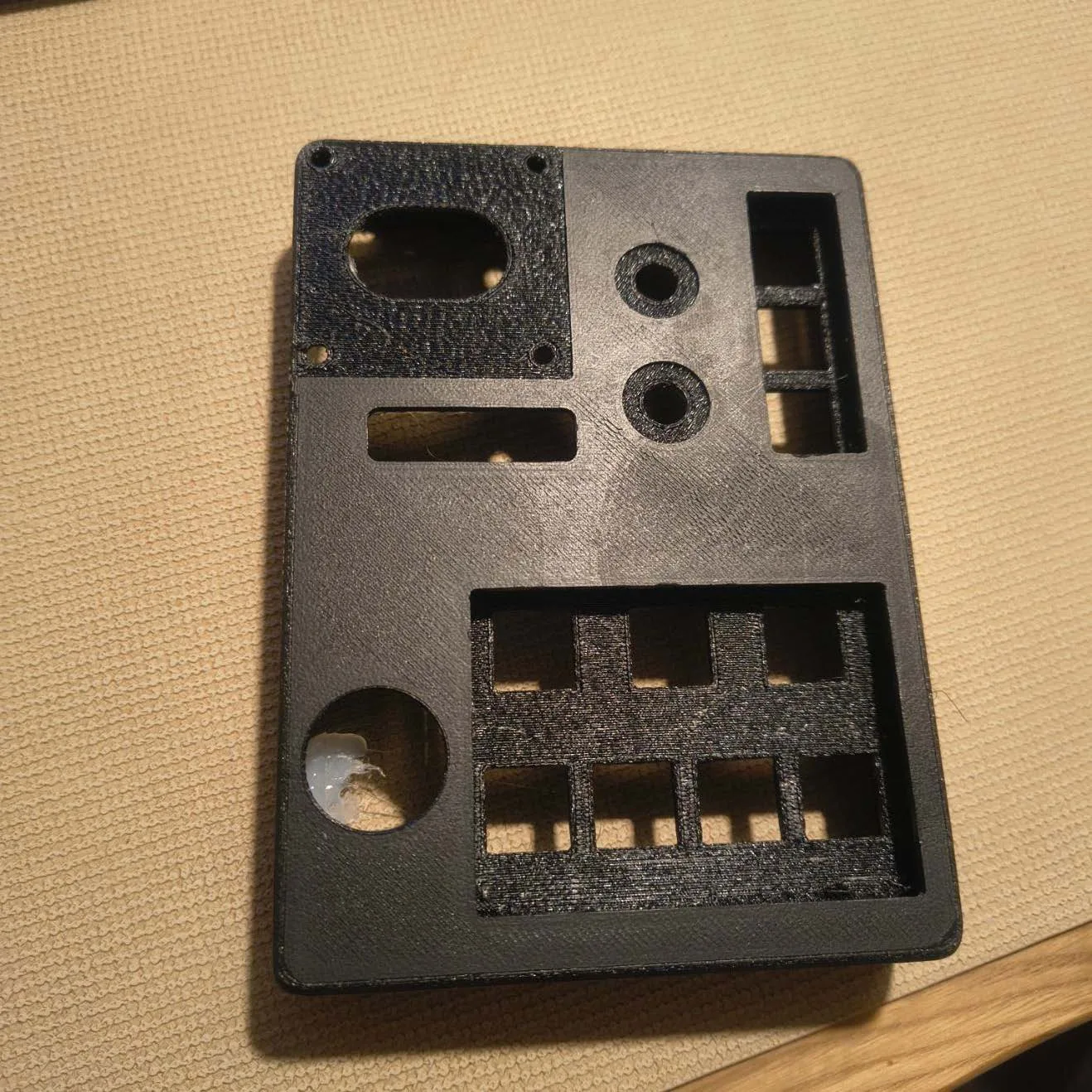
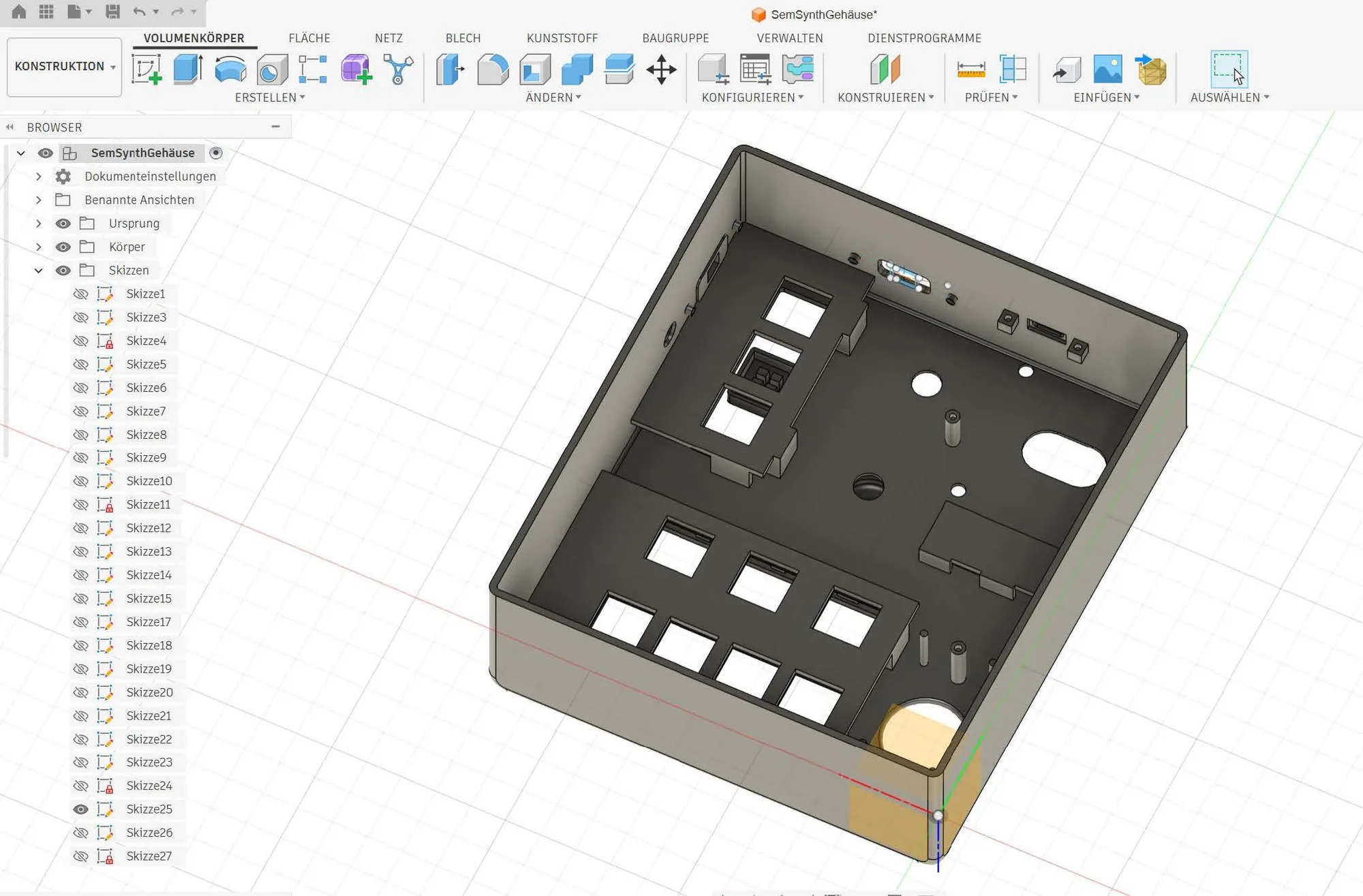
With a rough circuit layout in mind, I designed the enclosure in Fusion 360. The first print was only the black main body, to fit all components and get a feel for the form and layout.
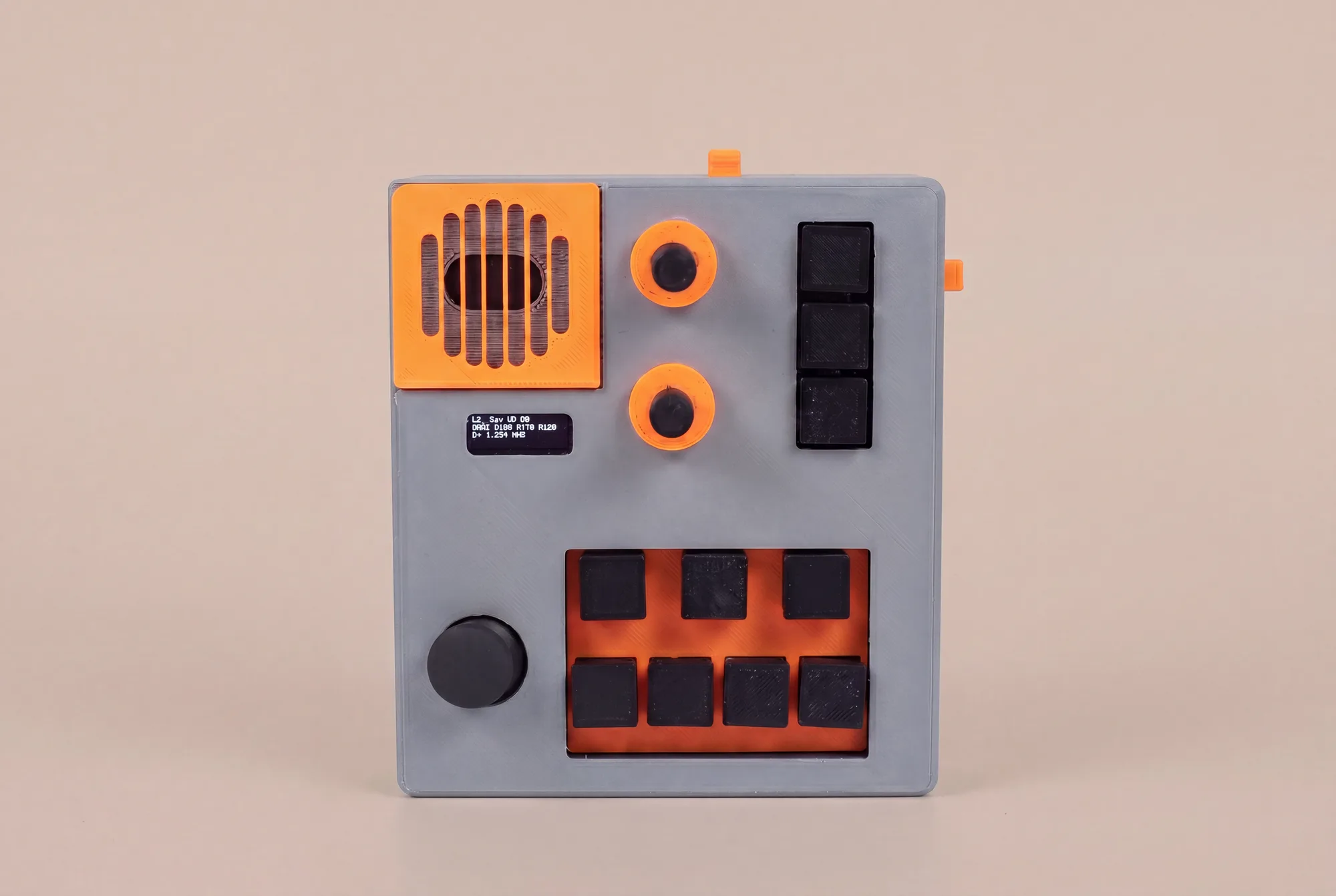
For the second iteration the case became noticeably wider and deeper because the cables needed more room, and I adjusted the cut-outs for buttons and connectors. This print fit. The finished case is printed in several parts: a grey body, orange accents and black caps. The print files are in the repository.
07 — Result
Audio Dingo is a playable instrument with about 1,100 lines of firmware, split into the main program, pin configuration, presets and an encoder decoder.
- 6 waveforms: saw, pulse, triangle, sine, 2-operator FM and noise
- Chord mode: every key plays three voices – major, minor, sus4 or octaves
- 5 presets – lead, bass, FM bell, sub and a kick drum – plus a button that rolls a random patch
- Resonant low-pass filter with its own envelope, ADSR editable live with the encoder
- Joystick: vibrato, wah filter, bit crush and glide
- OLED: status screen and an animated visualizer
Firmware, case files and documentation are open source under the MIT license.
08 — What I learned and would change
- Cutting features: recording and playback were planned. They couldn’t be synchronised well with the few inputs the device has, and they would have made the project too big, so I took them out.
- The enclosure took longest: of all parts of the project, the case design took the most time.
- A stronger board: next time I would use a more powerful board than the Arduino Uno and make sure it has a digital audio output instead of the DAC on A0.
09 — Media
The video only loads from YouTube after you click.
10 — Gallery (02)
Questions, ideas or feedback? I’d love to hear from you.
Drop a message