This website
janwestphal.dev is my portfolio, and building it was a project of its own. The goal: a site that gives my work a platform, loads fast, works without tracking or cookies, is available in German and English, and that I can maintain through a CMS without constantly touching code.
The guiding principle for the design: usability and accessibility come before effects. The layout follows established HCI principles and design standards; animations are there to support orientation and are (almost) never an end in themselves.
The site is generated with Eleventy and hosted on GitHub Pages. The source code is public on GitHub.
In the near future, the site is meant to meet WCAG 2.2 (Web Content Accessibility Guidelines).
- Type
- Web
- Year
- 2026
- Details
- Website, solo project · Status: live, continuously developed

01 — Fact sheet
- Role
- Solo project: concept, design, development and content
- Time frame
- Since spring 2026, revised in summer 2026 and again now in autumn 2026
- Tools
- Eleventy
- Nunjucks
- Markdown
- Sveltia CMS
- GitHub Actions
- GitHub Pages
- eleventy-img
- three.js
- Claude (AI assistant)
02 — Goal
The site has two audiences: employers in embedded development, media technology and game development, and people who are interested in my projects. Both should see quickly what I build and how I work. That led to a few fixed requirements:
- Fast and static: no server, no database, just HTML, CSS and JS. That keeps the site fast, secure and free to run. It also let me go deeper into the Web Applications module from the 2026 summer semester.
- Two languages: German as the main language, English for everyone else, with its own addresses, so search engines find both versions.
- Editable without code: new projects and blog posts are written in a CMS in the browser.
- Privacy: no tracking, no cookies, fonts hosted on the site itself. Videos and embedded games only load after a click.
03 — Structure
Every project and every blog post is a Markdown file. Eleventy turns these files into finished HTML pages. The CMS (Sveltia) writes into exactly these files and commits them to the repository, there is no second data store.
On every push, GitHub Actions builds the site and publishes it on GitHub Pages. GitHub Pages cannot do server-side redirects, so old addresses get a small page that forwards immediately and points search engines to the new address via canonical.
04 — Two languages without JavaScript
The templates write every page only once: English text in the HTML, both languages additionally as attributes (data-en, data-de). After the build, a small script of my own reads every page and writes two finished versions from it, German under /, English under /en/. Each version contains only its own language, the right lang attribute, its own title and description, cross-references for search engines (hreflang) and a shared sitemap. Each text is maintained in one place, and visitors and screen readers get the right language from their browser settings, without switching languages in the browser.
05 — Images
Photos come straight from the camera and are often several megabytes. A plugin (eleventy-img) replaces every image during the build with a <picture> element: five widths, each as AVIF and WebP, plus the real dimensions so nothing jumps while loading. The browser picks the size it actually needs.
Effect on the home page: the images now weigh 65 to 125 KB in total, depending on the screen. Before, I had to convert every image with a .webp converter first.
06 — Interaction
The site should feel like my projects, a little playful, but not loud. Every movement has a job: it shows where something comes from, what is selected or what can be clicked. No content depends on an animation.
- Fan of cards: on the home page, the current projects lie like playing cards in a hand. Hovering lifts a card with a slight spring, and it tilts towards the pointer.
- Variable font: Bricolage Grotesque is a variable font. In the large headlines, each letter gets heavier the closer the pointer is.
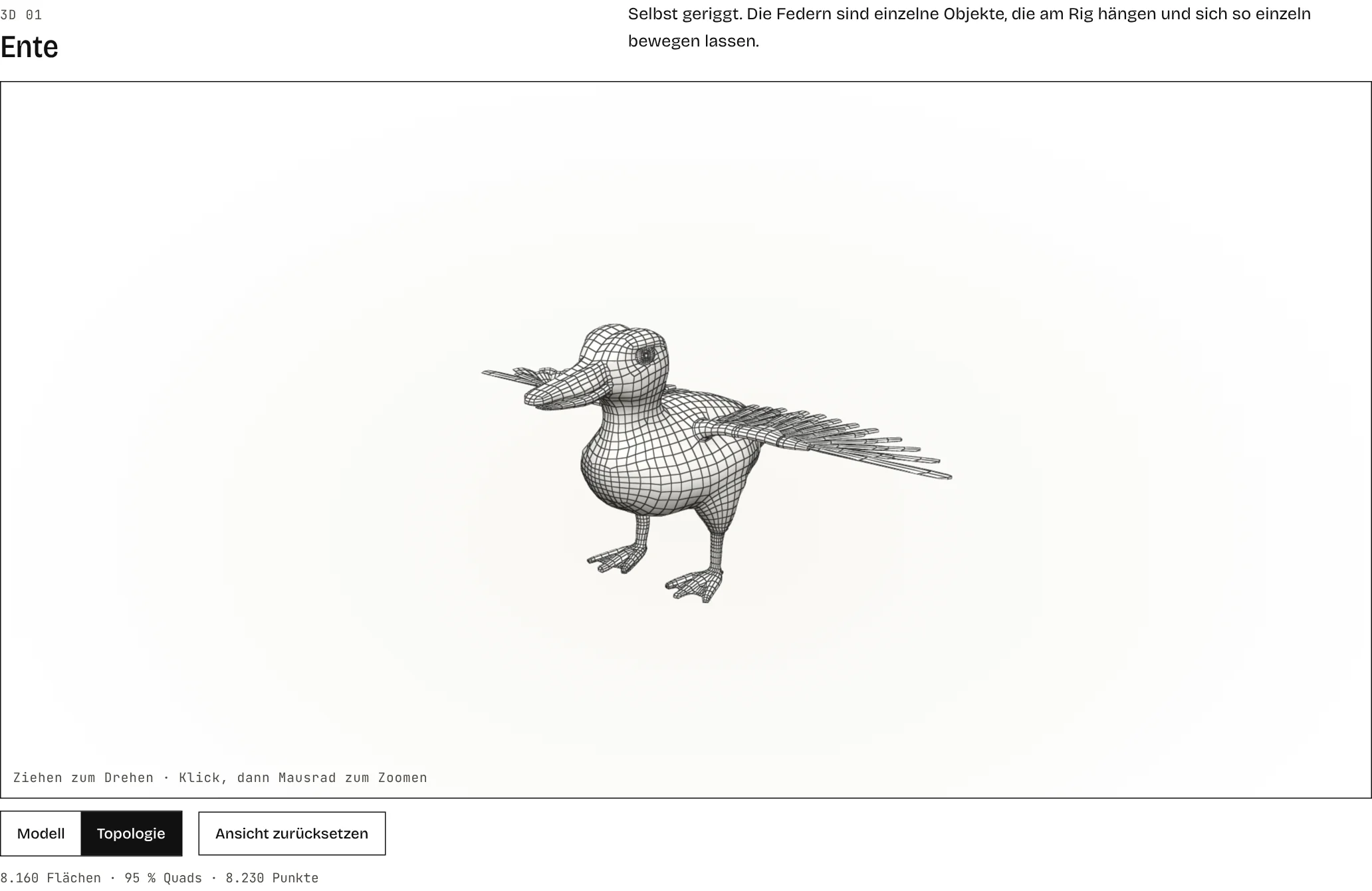
- 3D models: models from Blender can be rotated in the browser (three.js). The “Wireframe” view shows the edges as I modelled them.
- Images and galleries: clicked images open from their position into the lightbox with a transition; galleries with more than 4 images get an index on the left that follows the scroll position.
07 — Design principles: usability before effects
Eye-catching effects can be impressive, but they quickly become overwhelming and are often just decoration that distracts from the content. That is why the design follows established principles rather than trends:
- Interaction principles (ISO 9241-110): the site describes itself (labels instead of icons alone, the current page is marked in the navigation), behaves as expected (links look and react the same everywhere) and stays under the visitor’s control (animations can be switched off, videos and games only load on request).
- Visible status: whatever is currently active is shown: the underlined page in the navigation, the lifted card with “01 / 04”, the highlighted image in the gallery index and the state of the animation switch.
- Readability: about 65 characters per line, measured in the browser, a type scale with seven sizes and clear spacing that groups related content.
- Easy to hit: click targets of at least 44 px, whole list rows are clickable instead of only the title.
Accessibility is part of this, not an extra. The site aims at WCAG 2.2 level AA:
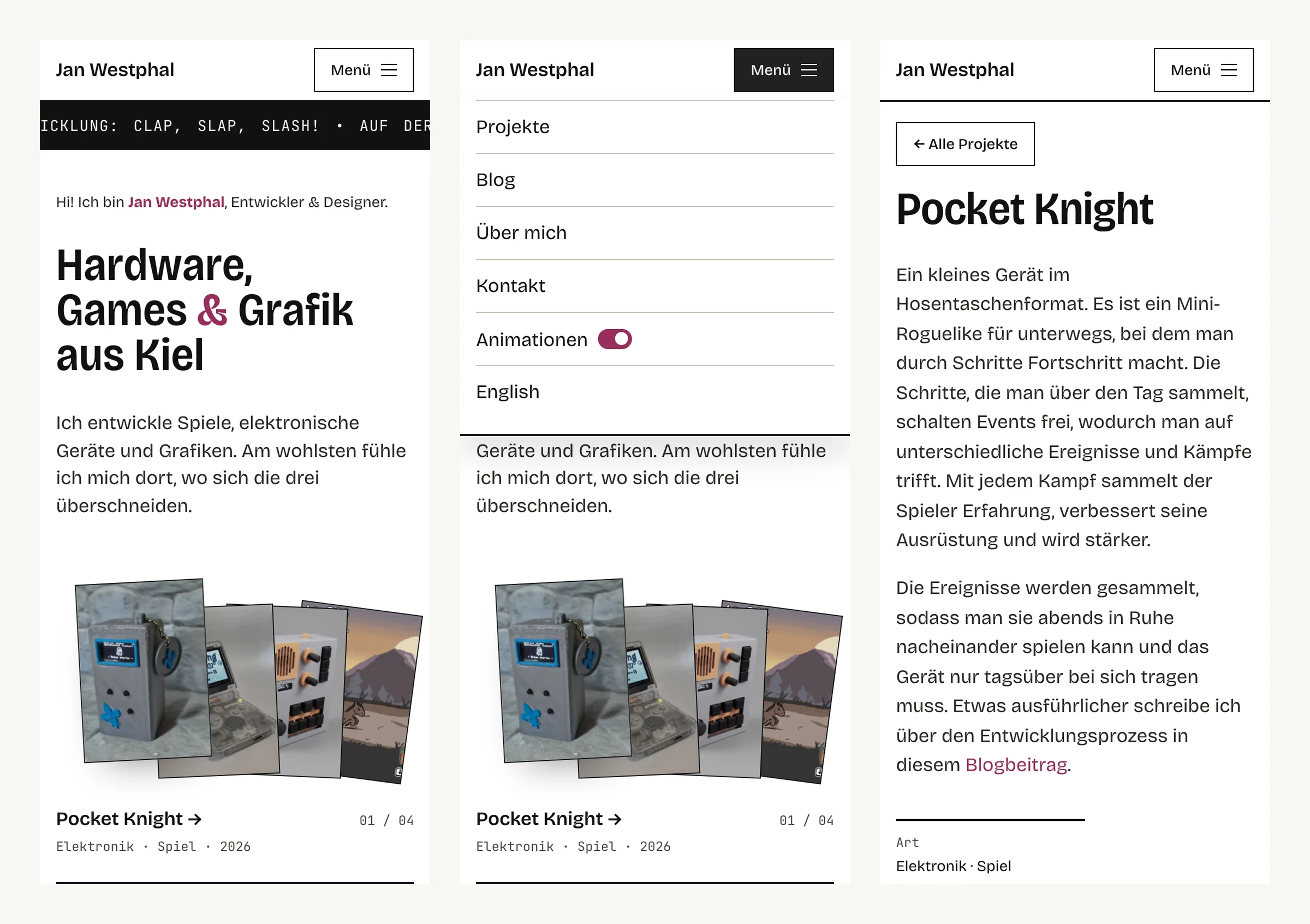
- Motion is optional: the “Animations” switch turns off all movement, and without a choice the site follows the operating system (
prefers-reduced-motion). - Screen readers: animated headlines contain their text a second time, invisibly, so the word is read and not single letters; the mobile menu reports whether it is open; every image with content has a description in both languages, purely decorative ones are hidden from screen readers.
- Keyboard and contrast: everything works with the keyboard and a visible focus, a skip link leads straight to the content, and all text meets the AA contrast ratios.
- Forms: errors appear directly below the field, in the language of the page.
08 — What I learned and would do differently
- Rebuild instead of overriding: the redesign grew as a layer on top of the old styles. It works, but two stylesheets with many overrides are harder to maintain than one clean one. Merging them is the next step.
- Measure instead of guessing: line length, image sizes and loading weight only became really good once I measured them in the browser instead of estimating.
- Know the platform: GitHub Pages cannot redirect on the server, and Windows does not distinguish between upper and lower case in folder names. Both shaped how the redirects work.
- Plan the tech stack better: some components such as Eleventy and Sveltia CMS were only added later in development. Next time I would invest more time in planning, and I would plan the architecture more thoroughly.
Questions, ideas or feedback? I’d love to hear from you.
Drop a message